> For the complete documentation index, see [llms.txt](https://rez-notify-me.gitbook.io/rez-notify-me/llms.txt). Markdown versions of documentation pages are available by appending `.md` to page URLs; this page is available as [Markdown](https://rez-notify-me.gitbook.io/rez-notify-me/back-in-stock-alert/get-a-shopify-cdn-link-for-your-logo.md).

# Get a Shopify CDN Link for Your Logo

This guide shows you how to get the direct CDN link (URL), and paste it into a logo field in email notification

#### ✅ **Step-by-Step Instructions**

**Step 1: Upload Your Logo to Shopify Files**

1. Log into your Shopify admin dashboard.
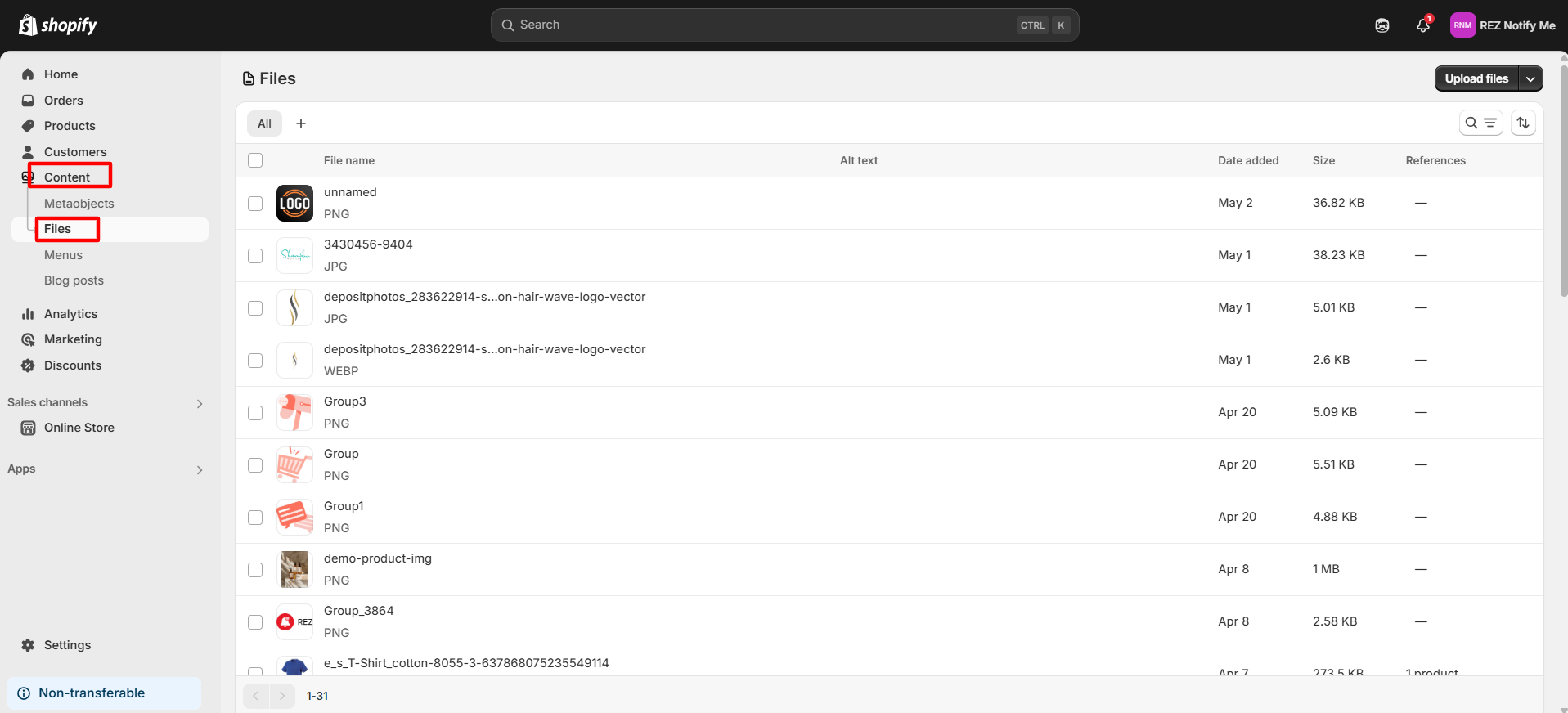
2. In the left-hand menu, click **Content** → **Files**.

<figure><img src="https://694306685-files.gitbook.io/~/files/v0/b/gitbook-x-prod.appspot.com/o/spaces%2FRQjauhlFJIllaMdenmZk%2Fuploads%2FBVpeCMeomDbbhvKiHAq1%2Fimage.png?alt=media&amp;token=73b9061e-57f6-48f5-8e6f-46ac3f6ac8fd" alt=""><figcaption></figcaption></figure>

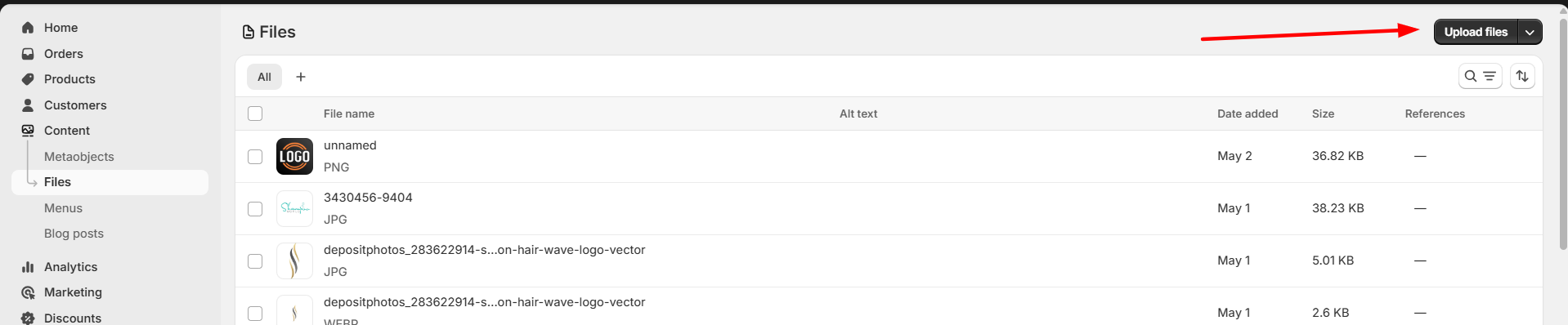
3. Click the **Upload files** button.

<figure><img src="https://694306685-files.gitbook.io/~/files/v0/b/gitbook-x-prod.appspot.com/o/spaces%2FRQjauhlFJIllaMdenmZk%2Fuploads%2FQMmjqc4xwqkib4NUox2X%2Fimage.png?alt=media&amp;token=4a59e6ac-4658-420e-b7a2-92d9618b5a2d" alt=""><figcaption></figcaption></figure>

4. Select your **logo image** file (PNG, JPG, SVG, etc.) from your computer.

***

**Step 2: Copy the CDN URL**

1. Click the **link icon** or right-click on the file name and choose **Copy link address**.

<figure><img src="https://694306685-files.gitbook.io/~/files/v0/b/gitbook-x-prod.appspot.com/o/spaces%2FRQjauhlFJIllaMdenmZk%2Fuploads%2FmqbsleTinmlIIpmVvcm3%2Fimage.png?alt=media&amp;token=ccdedc88-590a-4614-a7c9-5923a1af3131" alt=""><figcaption></figcaption></figure>

2. The link should look like this:\
   `https://cdn.shopify.com/s/files/1/xxxx/xxxx/files/logo.png?v=123456`

***

**Step 3: Paste the CDN Link into the Logo Box**

1. Go to REZ Notify Me app > Customize Email Notification
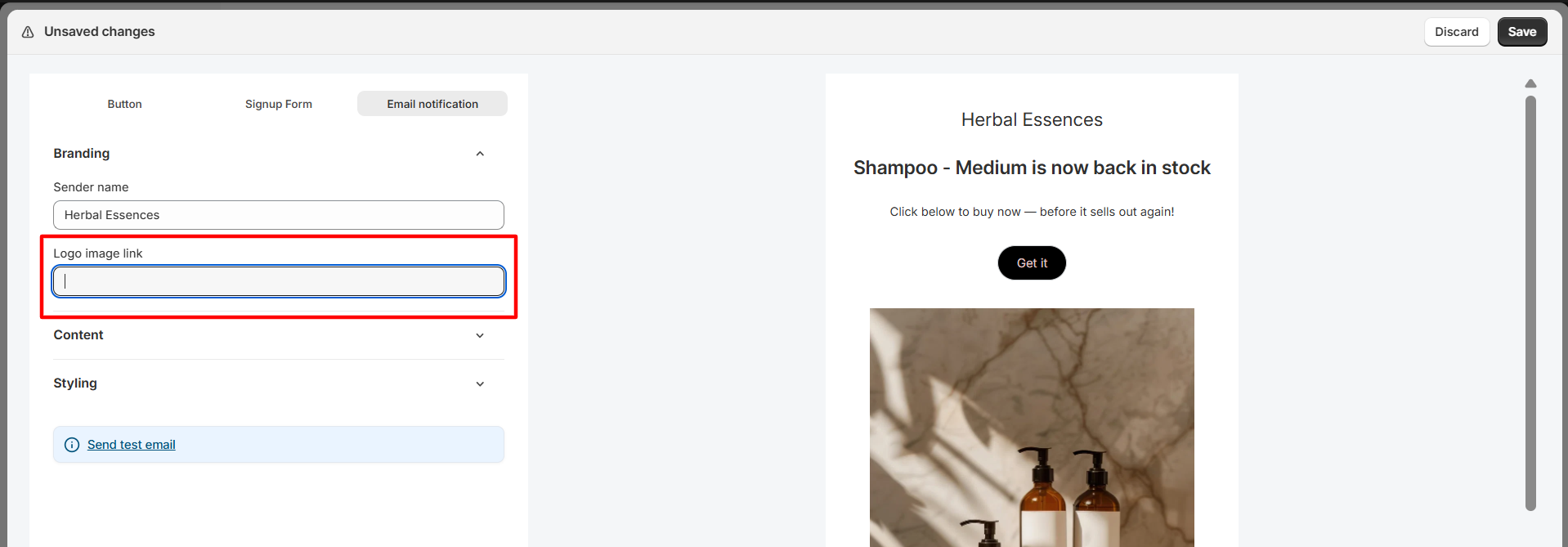
2. Find the **Logo Image Link**

<figure><img src="https://694306685-files.gitbook.io/~/files/v0/b/gitbook-x-prod.appspot.com/o/spaces%2FRQjauhlFJIllaMdenmZk%2Fuploads%2FwSAlFj5qaiZ14DOstiml%2Fimage.png?alt=media&amp;token=f03ec914-6551-4f01-9dd1-87ae33c0e713" alt=""><figcaption></figcaption></figure>

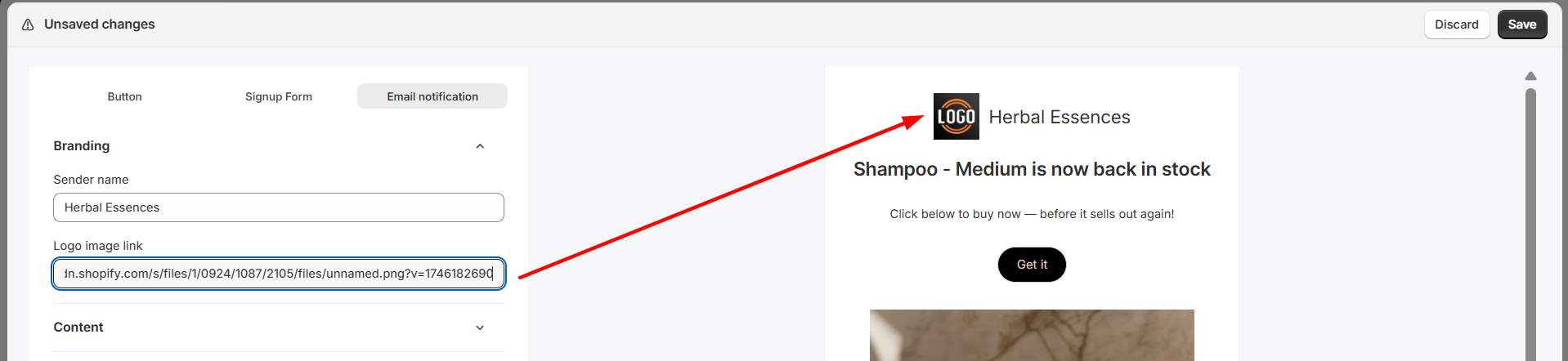
3. Paste the copied **Shopify CDN URL** into that field.

<figure><img src="https://694306685-files.gitbook.io/~/files/v0/b/gitbook-x-prod.appspot.com/o/spaces%2FRQjauhlFJIllaMdenmZk%2Fuploads%2FdZQvVdoGEYvMIq7iskBV%2Fimage.png?alt=media&amp;token=bbd6d869-af5d-4732-aa8b-79e16f9bb3fe" alt=""><figcaption></figcaption></figure>

4. Save the changes.

✅ Your logo should now appear wherever the logo box or image field is used.

***

#### 🖼️ **Pro Tips**

* **Use PNG or SVG** for better quality logos with transparency.
* Always upload images with clear file names (e.g., `brand-logo.png`).
* If your logo doesn't appear, double-check that the link is correct and publicly accessible.