# Create preorder campaign
#### What Preorder Does
Preorder lets you sell products **before they’re in stock**. You can:
* Create preorder campaigns at **product or variant level**
* Offer **full or partial payments**
* Apply and display **preorder discounts**
* Control **order status at creation**
* Auto-tag **orders and customers** per campaign
***
#### Create a Preorder Campaign
#### 1️⃣ Create name and button text
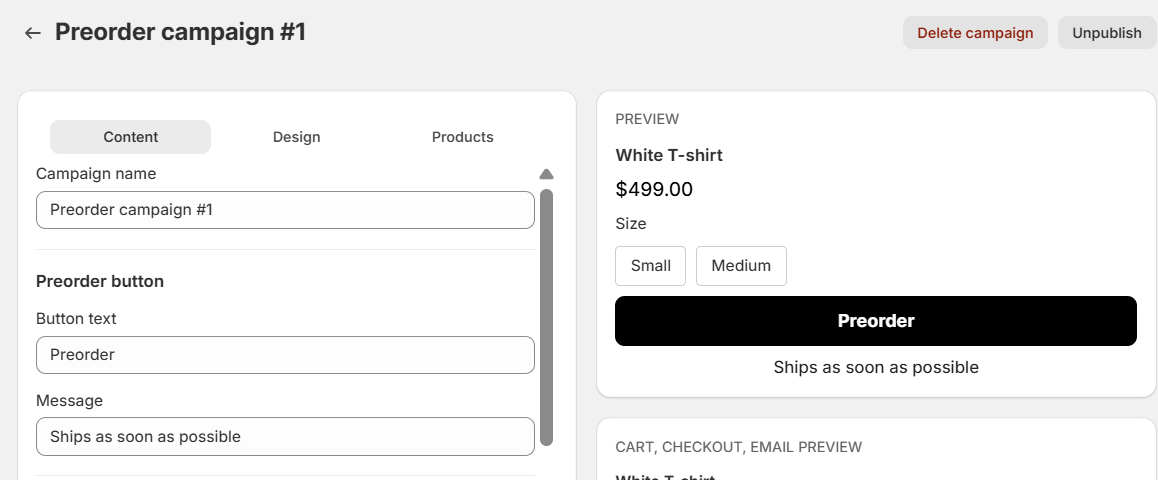
* Fill in campaign name (this is only showing in-app), not show to customers
* Fill in button text and message, it will show to customers
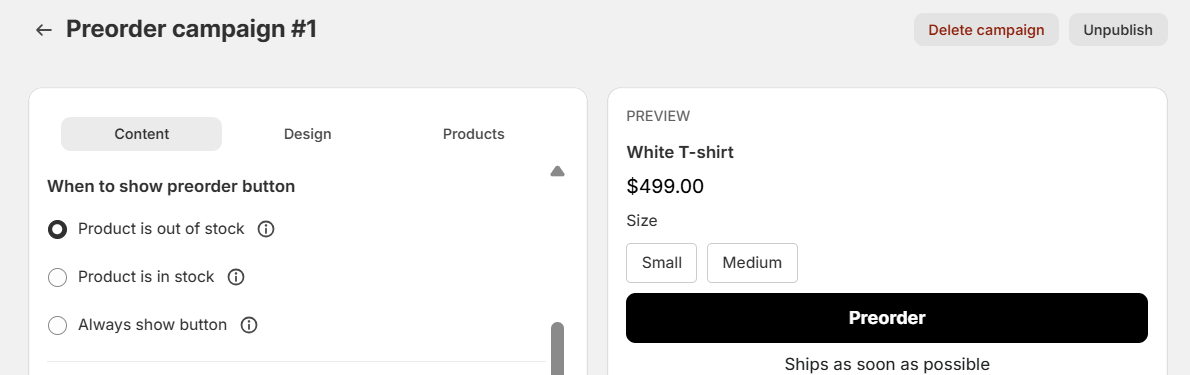
#### 2️⃣ Choose when to show preorder button
Choose one condition:
* **When product is out of stock**
* **Always show Preorder**
* **When product is in stock**\
(useful for capping preorder quantity via inventory)
**Inventory rules (handled automatically on publish):**
* `Track quantity` → enabled
* `Continue selling when out of stock` → enabled (if required)
* When unpublished, original settings are restored
To know what works best for you, please check [this detail guideline](https://rez-notify-me.gitbook.io/rez-notify-me/preorder/how-preorder-campaigns-work)
#### 3️⃣ Setup preorder discount (optional)
* Offer preorder discounts with strike-through pricing
* Fixed amount or percentage
* Shopify Payments required
#### 4️⃣ Choose payment options
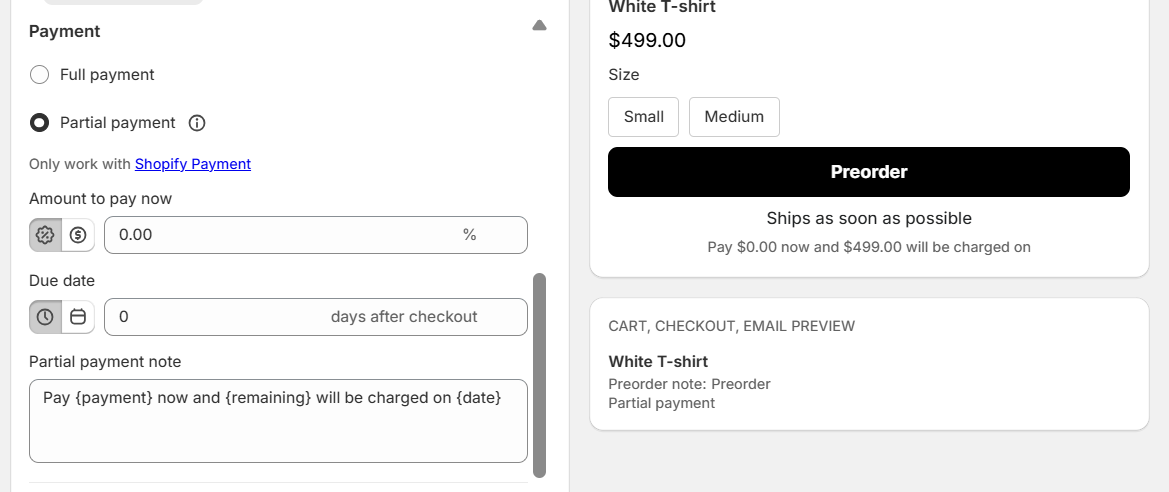
**Pay in Full**
* Customer pays 100% at checkout
* No Shopify Payments required
**Partial Payment (Deposit)**
* Customer pays a **deposit now**
* Remaining balance is collected **manually** in Shopify Admin
* Deposit can be:
* Percentage
* Fixed amount
* Set a **due date** for the remaining balance
* Shopify Payments **required**
**Checkout experience**
* Clearly shows:
* Amount due today
* Remaining balance
* Due date
⚠️ Theme note\
Most themes don’t show deposit pricing in cart by default. Use **cart messaging fields** to explain deposit details clearly.
#### 5️⃣ Customize preorder note
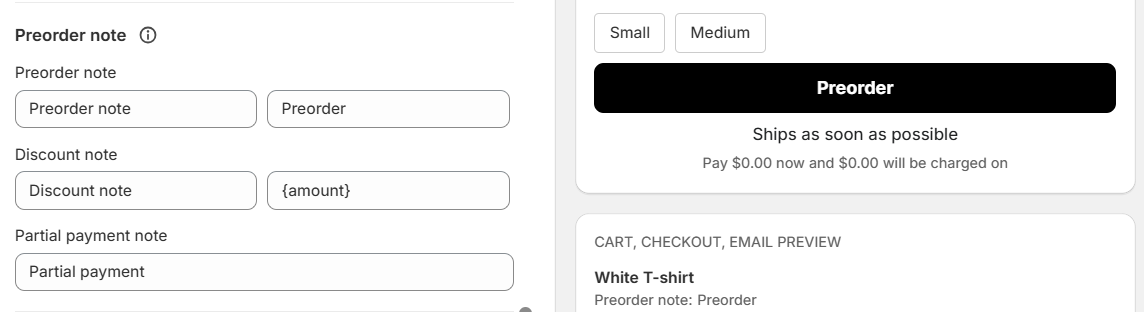
**Preorder note** is shown on the **product page** and **cart page** for customers, and also appears in the **order details** for merchants, ensuring preorder information is clearly visible throughout the purchase and fulfillment process.
* **Preorder note**: Editable text label (e.g. “Preorder”) that appears next to the product to indicate it’s a preorder item.
* **Discount note**: Optional message with a dynamic placeholder (e.g. `{amount}`) to highlight any preorder discount.
* **Full payment note:** Custom text explaining this is full payment
* **Partial payment note**: Custom text explaining deposit or split payment terms when partial payment is enabled.
***
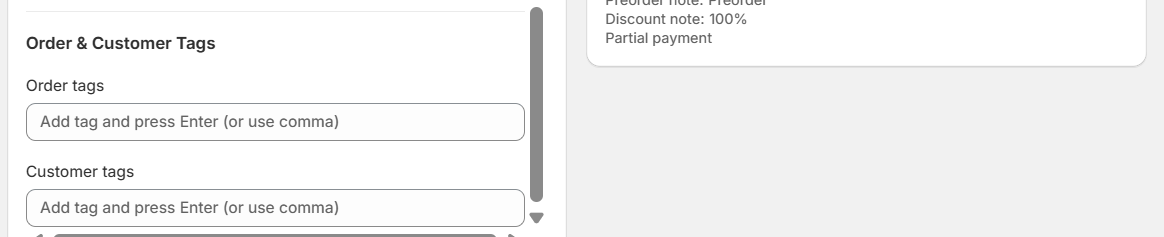
#### 6️⃣ Campaign Tags
* **Order tags** → applied to all campaign orders
* **Customer tags** → applied to customers who preorder
Use tags for:
* Filtering
* Shopify Flow automations
* Segments
* Loyalty or remarketing flows
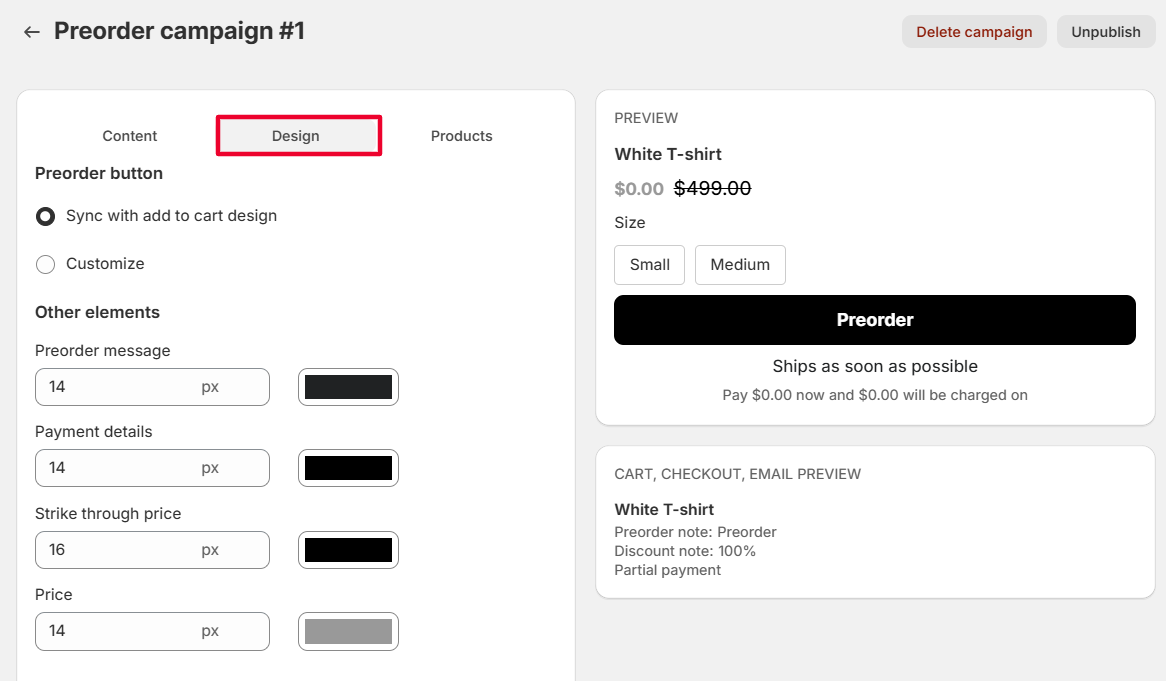
#### 7️⃣ Design
* Preorder button matches your theme’s **Add to Cart** style
* Typography controls apply to:
* Preorder messages
* Price details
* Adjust font size and alignment for theme consistency
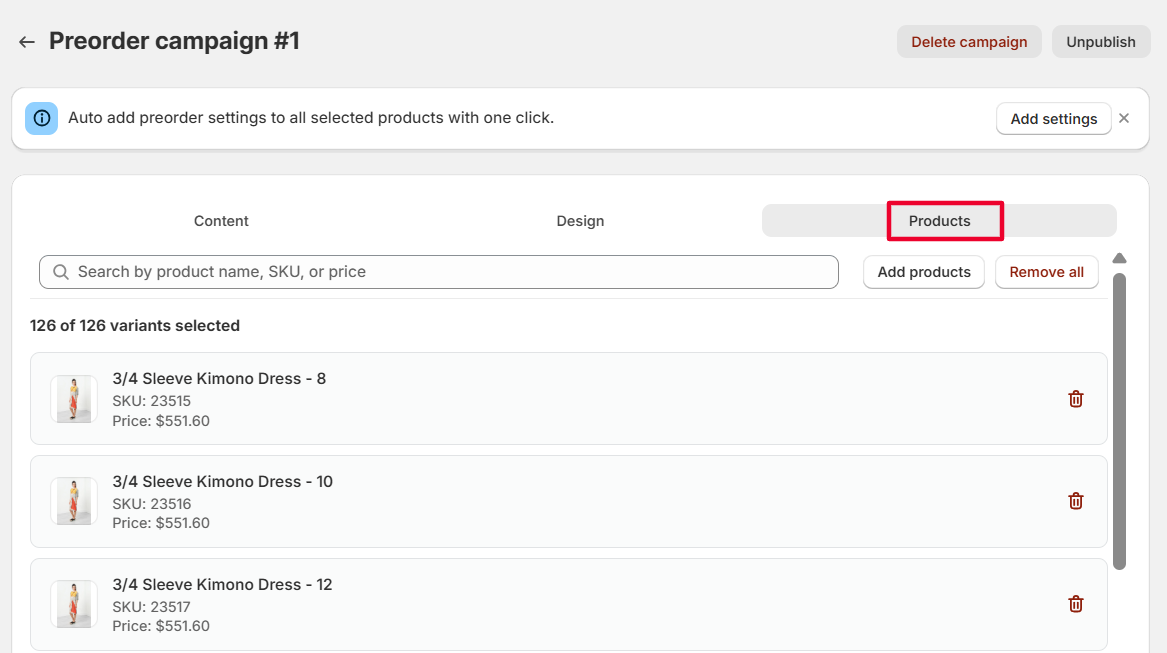
#### 8️⃣ Choose products
Go to the **Products** tab and select **Add products**.
To enable preorder, we’ll automatically turn on:
* **Track quantity**
* **Continue selling when out of stock**\
for the selected products.
This may take a moment. Please wait until the process finishes before checking your store.
**Note:** You can remove these settings at any time by **disabling or deleting the campaign**.
***
### 📦 Managing Preorders
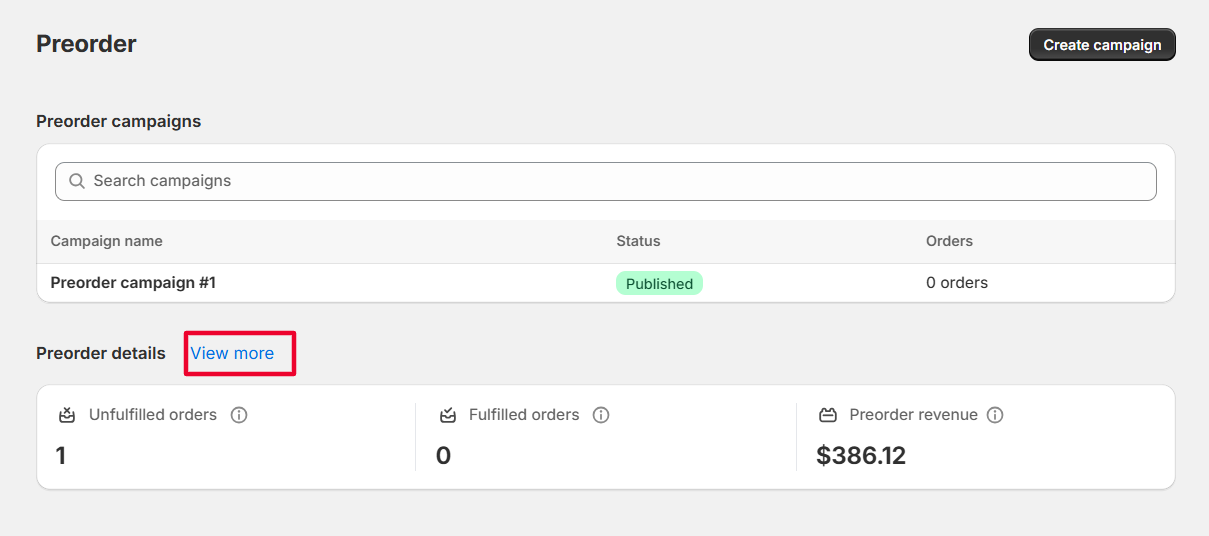
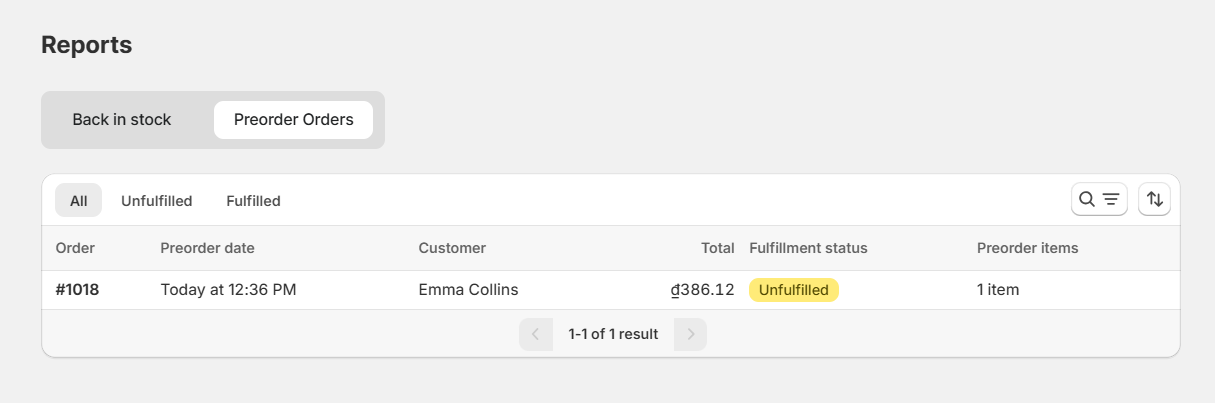
**In the App**
* View all preorder orders in one list
* Open Shopify order page from each row
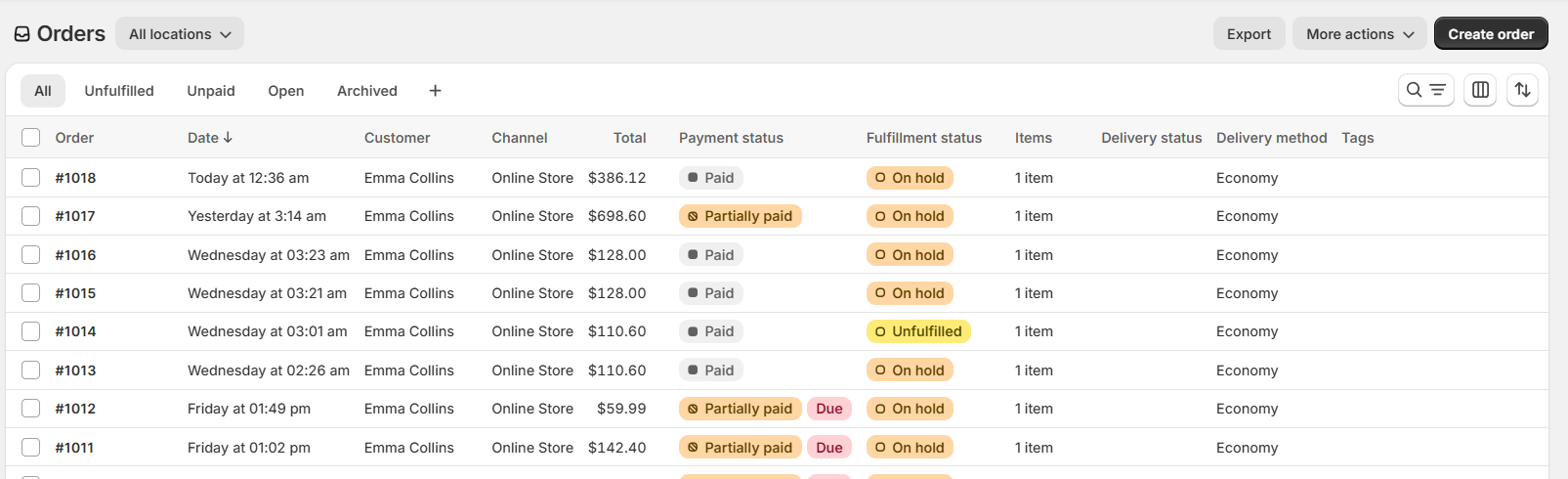
**In Shopify Orders**
* Status: Unfulfilled / Scheduled / On hold
* Payment status: Partially paid (for deposits)
* Actions:
* Collect remaining payment
* Send invoice
* Tags:
* Campaign tag
* Essential Preorder tag
***
### 🧩 Troubleshooting & Common Blockers
**Inventory**
* Track quantity must be ON
* Continue selling when out of stock must be ON (if applicable)
**Locations**
* At least one active location with Shipping & Fulfillment enabled
**Cart Deposit Display**
* Many themes hide deposit pricing
* Use cart messages to clarify payment terms
**Shopify Payments**
* Required for partial payments and preorder discounts
**Subscriptions & Bundles**
* Cannot combine preorders with subscriptions
* Shopify Bundles API products not supported
* Bundle apps using discount codes usually work
**Large Campaigns**
* Publishing/unpublishing may take a few minutes to fully apply