> For the complete documentation index, see [llms.txt](https://rez-notify-me.gitbook.io/rez-notify-me/llms.txt). Markdown versions of documentation pages are available by appending `.md` to page URLs; this page is available as [Markdown](https://rez-notify-me.gitbook.io/rez-notify-me/troubleshooting-guide/cant-add-preorder-to-cart.md).

# Can’t Add Preorder to Cart?

If customers can’t add a preorder item to the cart, it’s usually because the preorder option hasn’t been properly applied to the product. Please try the steps below:

#### Issue

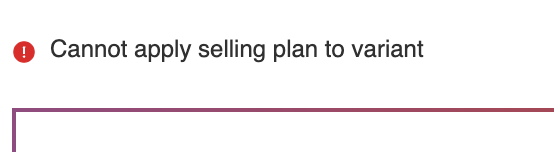
If customers can’t add a preorder item to the cart, and it has the issue like below:

<figure><img src="https://694306685-files.gitbook.io/~/files/v0/b/gitbook-x-prod.appspot.com/o/spaces%2FRQjauhlFJIllaMdenmZk%2Fuploads%2FgoATSYI9oOVHQ3IvIKKz%2Fimage.png?alt=media&amp;token=17cfd083-f3ae-4fed-85ab-cd015c246a7e" alt=""><figcaption></figcaption></figure>

#### Reason

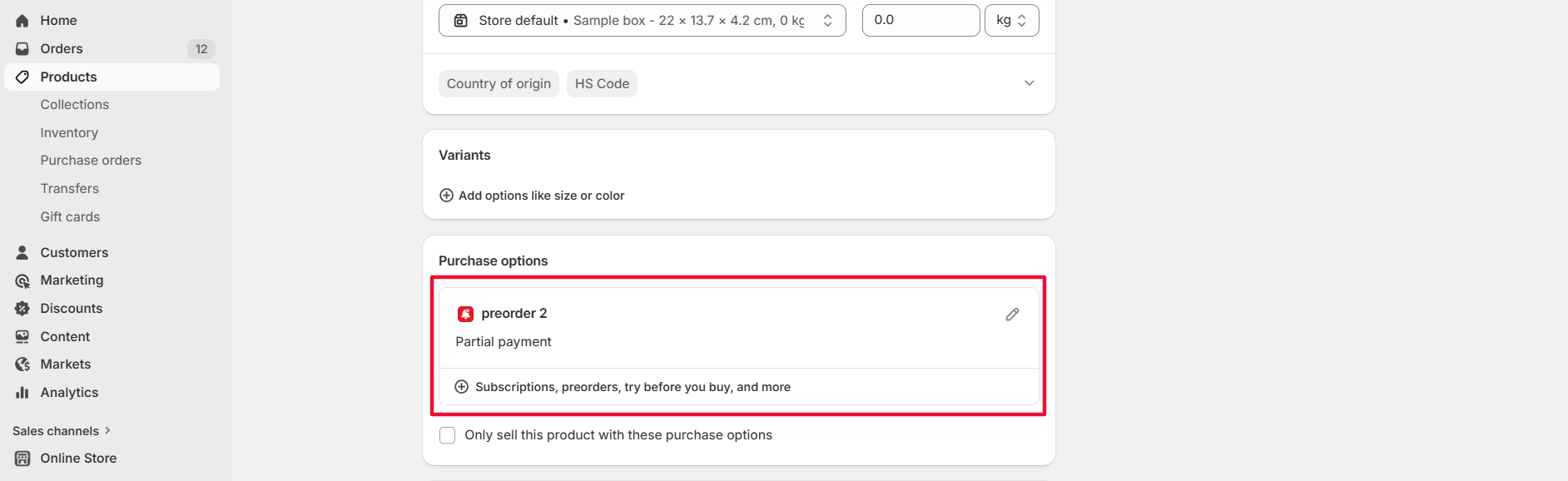
The purchase option was not added correctly to your product, so Shopify doesn’t recognize it as a preorder item when adding to cart.

<figure><img src="https://694306685-files.gitbook.io/~/files/v0/b/gitbook-x-prod.appspot.com/o/spaces%2FRQjauhlFJIllaMdenmZk%2Fuploads%2FvgWQ3URd6tnSi9q3xhQX%2Fimage.png?alt=media&amp;token=04881f6c-bdb8-4b47-ad61-723866b71f82" alt=""><figcaption></figcaption></figure>

***

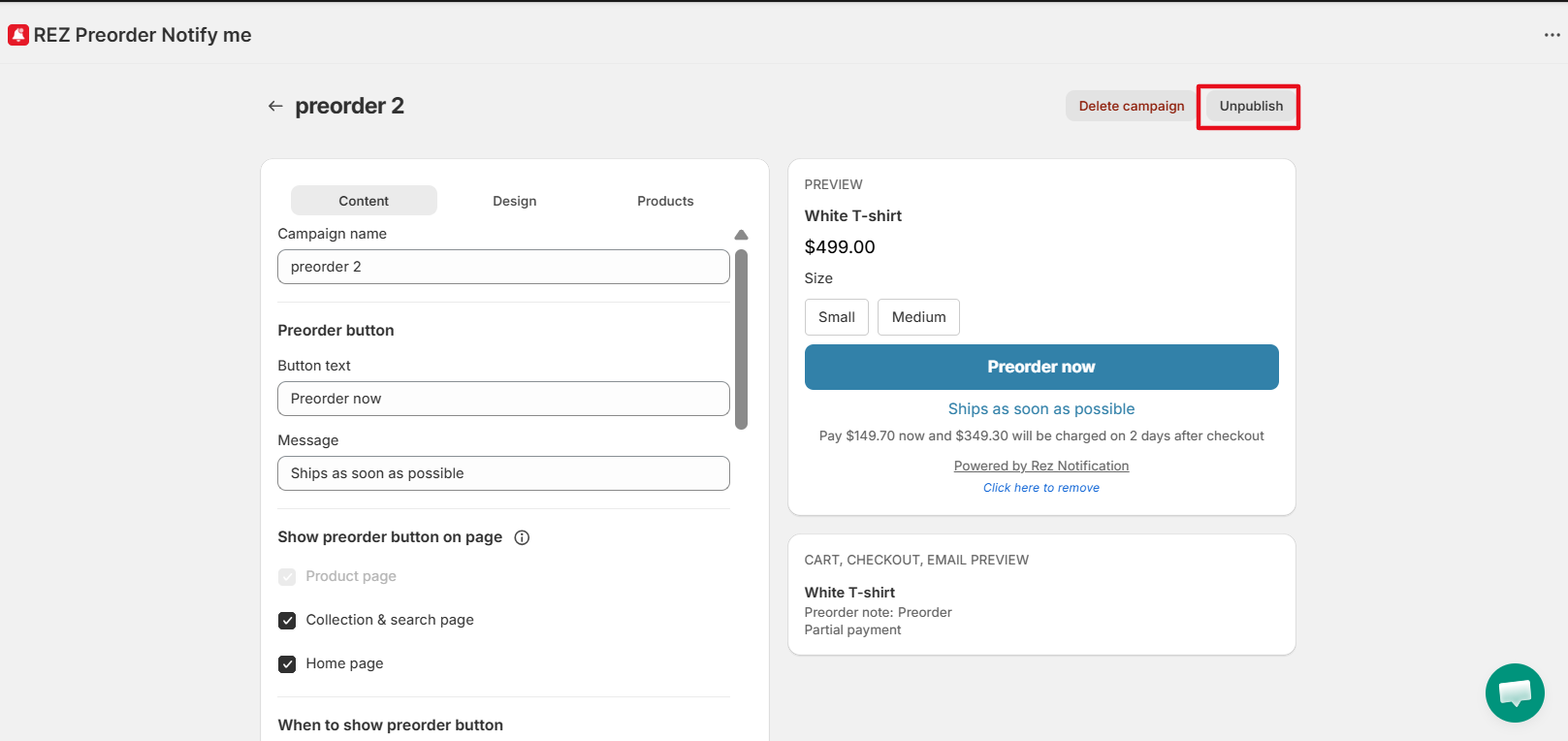
#### Solution 1: Republish the campaign

Sometimes the product setup doesn’t sync correctly the first time.

**What to do:**

* Click **Unpublish**
* Click **Publish** again

<figure><img src="https://694306685-files.gitbook.io/~/files/v0/b/gitbook-x-prod.appspot.com/o/spaces%2FRQjauhlFJIllaMdenmZk%2Fuploads%2FUPS07dax4HPWIKJEnhGF%2Fimage.png?alt=media&amp;token=a8519057-8cda-4fcb-b9ac-67d9aea7f5bd" alt=""><figcaption></figcaption></figure>

Refresh the product page and test again

***

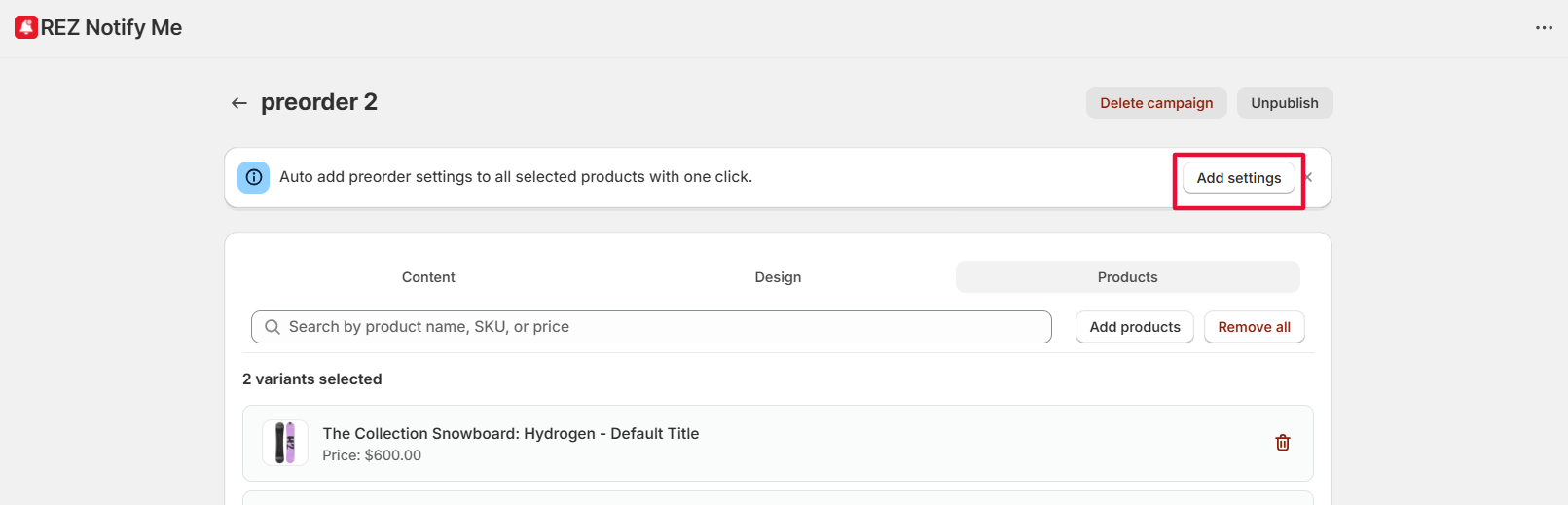
#### Solution 2: Re-apply preorder settings to the product

Sometimes the product setup doesn’t sync correctly the first time.

**What to do:**

* Go to **Products** in the preorder campaign
* Click **Add settings** in the blue banner

<figure><img src="https://694306685-files.gitbook.io/~/files/v0/b/gitbook-x-prod.appspot.com/o/spaces%2FRQjauhlFJIllaMdenmZk%2Fuploads%2FC0VnP6t8xtRDUxMeqNyT%2Fimage.png?alt=media&amp;token=08c2e3a9-b2ba-4317-85f5-6d5f9ac5a9ed" alt=""><figcaption></figcaption></figure>

* Refresh the product page and test again

***

#### Solution 3: Remove and add the product again

If re-applying doesn’t work, resetting the product setup usually fixes the issue.

**What to do:**

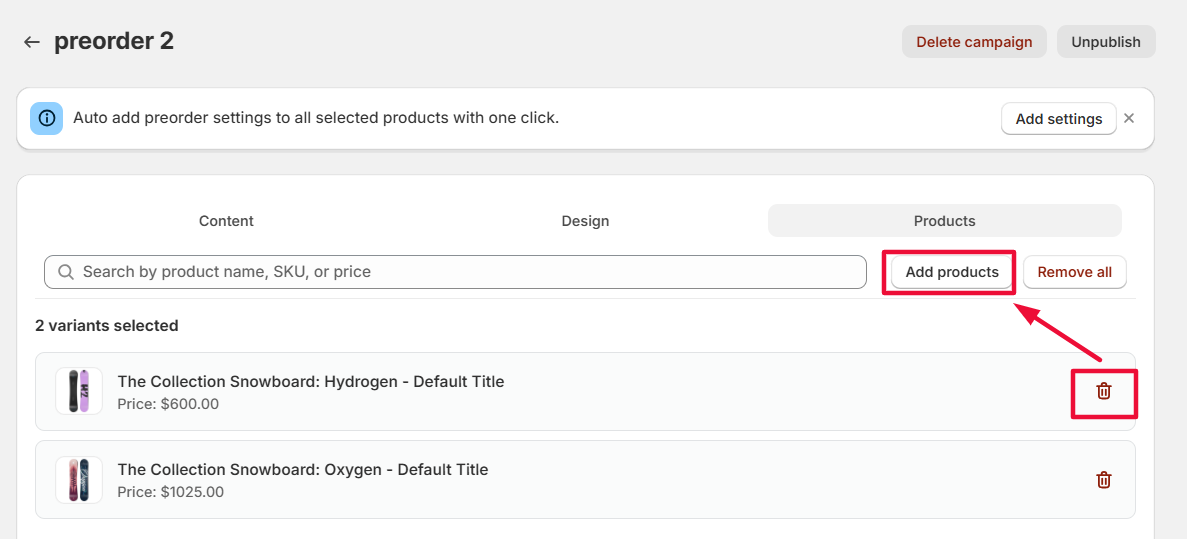
* Remove the product from your preorder campaign
* Add the product back to the campaign

<figure><img src="https://694306685-files.gitbook.io/~/files/v0/b/gitbook-x-prod.appspot.com/o/spaces%2FRQjauhlFJIllaMdenmZk%2Fuploads%2FrDOqQmLB0u0PESYWuBCT%2Fimage.png?alt=media&amp;token=e405c65d-fc73-44b3-975f-d04509a89f33" alt=""><figcaption></figcaption></figure>

* Save and the campaign
* Test the add-to-cart flow again

***

#### Important: Check your inventory settings

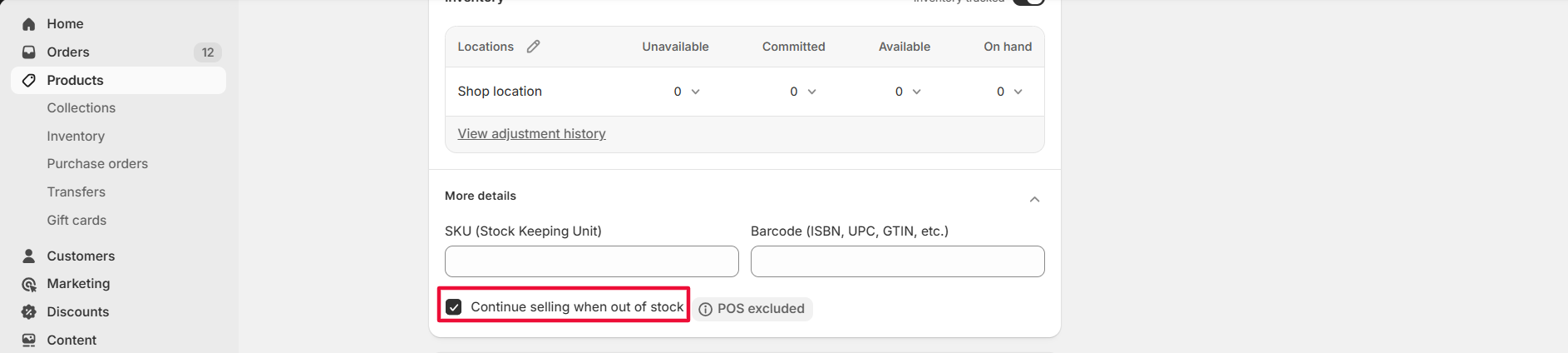
Make sure Shopify allows the product to be purchased when it’s out of stock.

**How to check:**

* Go to the product in **Shopify Admin**
* Open the **Inventory** section
* Enable **“Continue selling when out of stock”**

<figure><img src="https://694306685-files.gitbook.io/~/files/v0/b/gitbook-x-prod.appspot.com/o/spaces%2FRQjauhlFJIllaMdenmZk%2Fuploads%2FIqCnzC8A3wRKrj81lr6K%2Fimage.png?alt=media&amp;token=ef0f259a-e257-4027-a0b5-54befa61f757" alt=""><figcaption></figcaption></figure>

If this option is disabled, customers won’t be able to add preorder items to cart even if the preorder button is visible.

***

#### Still having issues?

If the problem continues, please [contact our support team](https://go.crisp.chat/chat/embed/?_sc=ODU2NDY1MiMxMjgyMDg%3D\&website_id=ef20beba-6c17-47d6-aca9-06e164607454) and share:

* The campaign name
* The product URL
* A screenshot of your preorder campaign settings

We’ll help you debug it quickly. 🚀